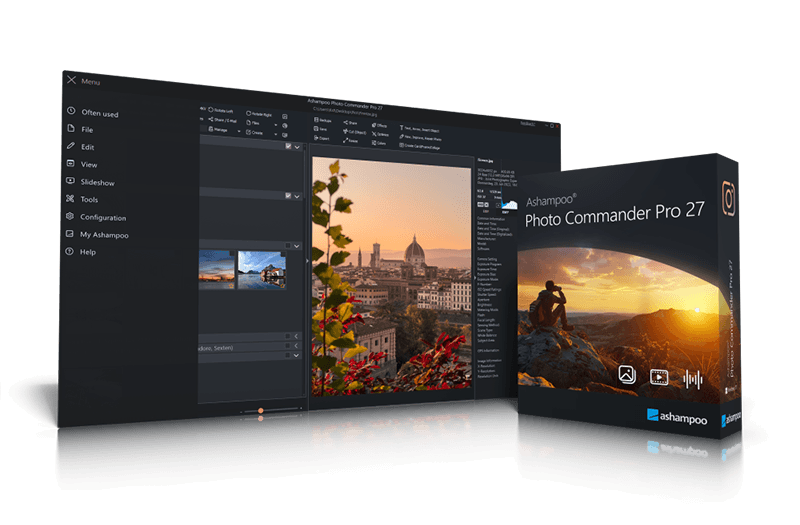
Chockfull of features: More than 200 functions for your photos in a single software 20 years ago, beautiful photos were scarce. 10 years ago, memory was scarce. Today, we've got both–but we've also got a veritable file chaos, thanks to hundreds of files! Ashampoo Photo Commander not only turns chaos into neat photo collections but it also turns good into great shots, and can even make collages, greetings cards, and slideshows. Convert your photos, even automatically and in batches, add watermarks, and sort your files by location for instant visual clarity. Photo Commander is the all-in-one solution for you! A real feature beast for your photos 20 years in the making–and it shows! Ashampoo Photo Commander includes over 200 photo-related functions and is rightly called “feature beast” by its fans. And it's true: You can click your way through the program and keep discovering new handy features and tools that other companies would gladly sell you as separate apps. Your fun journey into the world of photo editing begins today! More performance, more protection, more comfort! More privacy, convenience, and formats for your photos Ashampoo Photo Commander Pro 27 is a comprehensive solution for viewing, editing, organizing, and presenting your photos. Streamline large image collections and quickly identify selfies, portraits, couple shots, and group photos using advanced local portrait detection. Optimize multiple images simultaneously, and create calendars, cards, collages, and slideshows in just a few clicks. Transform individual images into a well-organized photo collection with ease. Whether you are a beginner, hobby photographer, or experienced user, Ashampoo Photo Commander Pro 27 enables you to achieve your goals efficiently. - Automatic portrait detection for selfies, portraits, couple shots, and group photos
- Fully local analysis without cloud access, uploads, or an internet connection
- Work locally with private images, no hidden cloud uploads
- Non-disruptive background image analysis
- Faster duplicate filter for large image collections with many thousands of files
- Redesigned classic miniature view with enhanced visibility of name, date, size, and orientation
- Up to 50% faster thumbnail generation with lossless compression
- New Save As dialog with presets for JPEG XL, WEBP, and JPG
- Native JPEG XL support: load and save + metadata
- Native AVIF support for loading, including metadata and animations, no external codec required
- Support for ultra-large image files, including PSB, BigTIF, and gigapixel formats
- Improved format support for RAW, TIF, JPEG 2000, JPG, SVG, and APCDOC
- Modernized interface with more consistent dialogs and better support for dark designs
Find duplicates, edit metadata, smart-search for files No more duplicate photos – with four-way fingerprint technology Ashampoo Photo Commander is handy indeed! It scans your library for duplicates and helps you filter your photos by name, EXIF/IPTC data, or comments. Looking for a needle in a haystack has just become super-easy. You can even add missing metadata manually so you'll never lose track of your photos again! Collages, cards and frames included From birthdays to Christmas: Create just the right card in no time Get creative: Photo Commander lets you create stylish collages and elegant cards with the help of numerous included templates. Add nifty frames to your photos and combine images and texts to create greeting cards for holidays, parties, and special occasions. 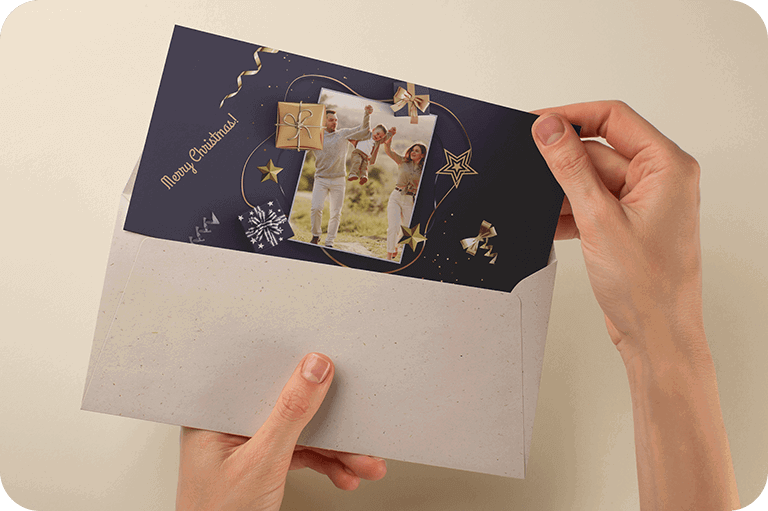
Create even better collages with improved background fitting, enjoy a fresh design across all wizards, and find duplicates faster than ever thanks to a new sorting method–even for massive lists with thousands of entries! Plus, automatic caching ensures your work remains safe, even in the event of a crash. Crop and edit photos Beginner or professional user: Make the most of your shots Crop your photos with ease, straighten image horizons and accentuate colors. Cut out individual people and objects and modify image perspective at your convenience. Play with numerous great photo effects and go professional with gradation curves and tonal value correction! Whether quick fix or detailed post-processing: Ashampoo Photo Commander has got you covered! 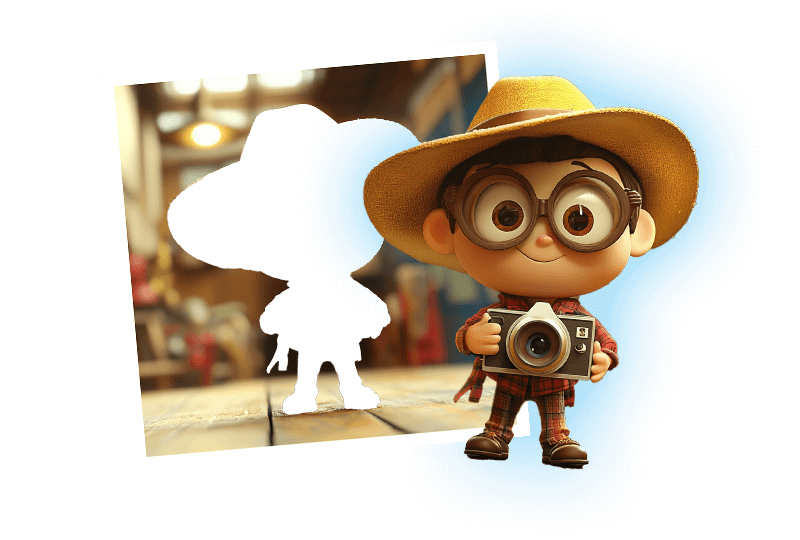
The image viewer with the perfect overview Smart-group and sort by capture date, time, or file name With Ashampoo Photo Commander, you always stay on top of your photos. Clever filters and grouping options help you keep track no matter how large your photo collections are! Sort chronologically, thematically and by location or apply custom filters and instantly find every shot! Effortless management and up-to-date organization Connected USB sticks or external drives are now detected automatically, with folder lists updated instantly–no manual action required. The new Where?/When? view show you immediately how many files are in each section for a quick and clear overview. Design slideshows with ease Create high-res slideshows with music Create high-resolution 4K slideshows with fitting transitions and underline your shots with music in various formats. Finished projects are instantly previewable with the new video playbar and can be burned to disc straightaway. Auto-enhance your photos Smart algorithms for better colors or contrasts and less noise Even underwhelming shots turn into precious vacation memories thanks to image auto-correction. Remove scratches and eliminate image noise or red eyes instantly! Auto-correction does most of the heavy lifting for you–even in batch processing mode so you can polish your entire library in one go! Optimize colors or contrasts and get rid of compression artifacts at the click of a button! 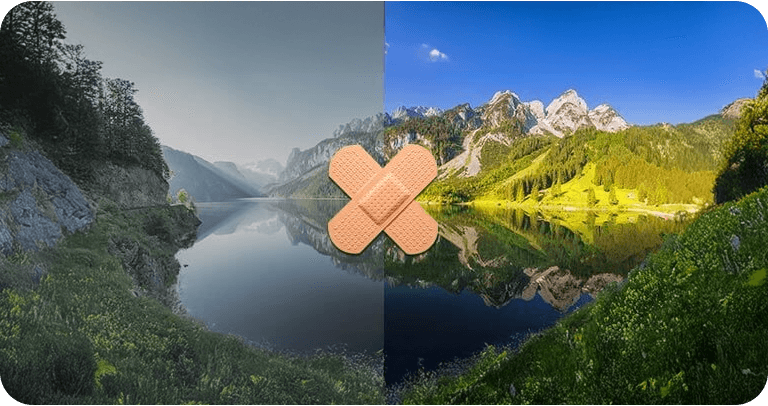
Present your photos in style Versatile presentation mode for every occasion Whether you're enjoying your photos on your own or with friends and family, the new presentation mode is simply genius–especially in multi-display environments. You control the presentation on one display and your viewers get to enjoy the results on another, e.g. a video projector. You can even make live adjustments without leaving the presentation! Apply geotags No more confusion about shooting locations Modern cameras and cellphones use geotagging to save location information along with each shot. Ashampoo Photo Commander not only uses these tags for sorting but can also edit and create them. You'll get precise information down to street level! Want to see all photos from Paris? No problem. You can even view each location in Google Maps instantly! 
Salvage or create Breathe new life into bad shots or create stunning panoramic pictures Not every shot is a hit! Photo Commander includes a special auto-feature that fixes overexposed or washed out colors with great results. You can also apply effects individually to add more vibrancy and structure to your shots, or combine them into breathtaking panoramic views. Batch-processing done right Process entire photo libraries in one go Convert multiple images into different formats at once and adjust image size and aspect ratio in the process. Add watermarks or frames to your photos and rotate or mirror them to your needs. Modify brightness and contrast settings or eliminate image noise. You can do all that with batch-processing and save loads of time and effort! Fast multi-purpose image editing A quick fix for common image issues Discover tools that optimize your photos, add filters and polish contrasts and colors. Straighten image horizons, clone areas, and accentuate details with the focus or tilt-shift effect. Adjust image size and rotation or crop your photos perfectly. Why buy several programs when you can just get the one that does it all in a single interface? Helpful wizards Step-by-step guidance Ashampoo Photo Commander comes with multiple wizards that offer step-by-step assistance for various tasks. Whether you're designing a calendar, creating a collage, or batch-processing hundreds of photos, there's a wizard that will guide you through the process, no previous knowledge required. Pick your photos, select an option, and you're good to go! 
Find portraits faster Auto-detect selfies, portraits, couple shots, and group photos offline–no internet connection required Ashampoo Photo Commander Pro 27 makes it easier to keep track of your photos. It automatically detects portraits and helps you organize selfies, couple shots, and group photos faster. The analysis runs entirely locally on your PC with no image uploads or internet connection required. Additionally, the image browser, thumbnails, duplicate filter, Save As dialog, and format support have been significantly improved, making it easier to manage even large photo collections. Filter portraits with one click Find Your best photos of people faster Find the images You are really looking for more quickly: Ashampoo Photo Commander Pro 27 automatically detects selfies, portrait shots, couple shots, and group photos. The analysis runs quietly in the background and takes place on your PC. This is especially useful when you are looking for a profile picture, a great selfie, or the group photo from last birthday, but do not want to upload your photos to a cloud. More speed for large photo collections Thousands of photos comfortably under control Managing large folders filled with countless files and duplicate images can consume precious time. Photo Commander Pro 27 accelerates the duplicate filter for extensive collections and processes thumbnails more efficiently. This keeps browsing, sorting, and cleaning up your collection smooth and effortless, even when thousands of photos have accumulated over the years. Better overview instantly More details, faster decisions The updated Classic Miniatures view makes finding what you need easier than ever! Important details like file names, dates, and file sizes are now displayed much more clearly. You can instantly spot whether a file is in portrait or landscape orientation, and your groupings and filters are always right at your fingertips. This comes in handy whether you're organizing photos or managing mixed folders full of graphics, videos, comics, and icons. Always the right export format Pick your perfect format: modern, web-ready, or classic. The new Save As dialog makes choosing the right format much simpler. You can choose directly between JPEG XL for modern photos, WebP for web use, or JPG for classic sharing. The file preview generates while the dialog is open, which speeds up the saving process—especially helpful when working with large images. Ready for modern large-format image files From JPEG XL and AVIF to PSB, BigTIF, and gigapixel formats Photo Commander Pro 27 supports current formats better than ever. JPEG XL offers full native support for loading and saving with metadata, while AVIF is loaded natively with metadata preservation. Very large files like PSB and BigTIF can be opened and edited seamlessly. Additional improvements extend to RAW, TIF, JPEG 2000, JPG, SVG, and APCDOC formats.
|