Latest Mobile Dev Insights: iOS, Android, Cross-Platform |
MobilePro #228: How to Ship Faster Without Losing Control in Vibe Coding |
|
|
|
AI can help you ship faster. The harder part is making sure you still know what you’re shipping.
Vibe coding has quickly moved beyond its experimental beginnings. Today's agents can edit files, run commands, compile projects, fix errors, and interact with development tools through MCP, turning AI from something that suggests code into something that can actively work on a codebase. But more autonomy also means developers need stronger guardrails.
That's what we're exploring this week: how to get the speed of vibe coding while staying firmly in control. From AGENTS.md and project rules to Git branches and better context management, the goal isn't to constrain AI but to give it a safer environment in which to work. And with Google similarly advocating focused Android Skills instead of overwhelming agents with unnecessary instructions, it's becoming clear that getting more from AI may increasingly be about giving it less, but better, context.
|
-
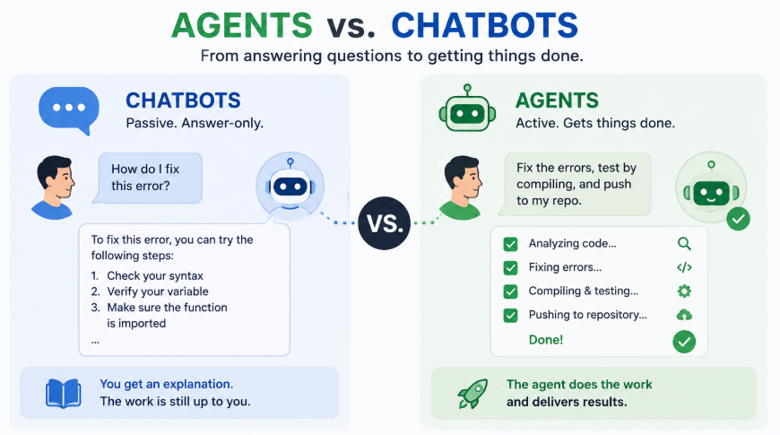
Agents are different from chatbots: they don't just suggest solutions; they can modify code, run commands, test changes, and complete development tasks.
-
Vibe coding still requires coding knowledge. Strong fundamentals help you catch plausible-looking AI mistakes before they reach production.
-
Give agents explicit guardrails. AGENTS.md can define project architecture, TODOs, and agent roles, while IDE rules can establish standards that apply across projects.
-
Use Git branches as your AI safety net. Commit working code, experiment on a branch, and merge only when the result works.
-
Watch your context. Hallucinations, loops, and drifting answers can signal context overload; summarizing the state and starting fresh can restore quality.
-
You remain responsible for the output. AI-assisted development works best when the developer behaves like the lead of a very fast, but occasionally overconfident, team.
|
|
|
|
-
iOS 27 Beta 5 refines Liquid Glass, Siri AI, and Search: Apple’s iOS 27 Beta 5 continues polishing the iPhone experience ahead of its fall launch, with redesigned Liquid Glass icons, expanded Siri AI voice customization, and new controls over how apps and shortcuts appear in Search. The beta also makes Liquid Glass clearer, expands Wallet’s Create a Pass feature, adds personalized Smart Reply controls in Mail, and can flag when poor cellular connectivity is draining battery.
-
Swift’s July updates improve concurrency, testing, and package tooling: Swift’s July 2026 roundup highlights several developer-focused improvements, including a new Task Stealers primitive that changes how concurrent workloads are distributed, plus progress on SwiftPM package registries and improvements to VS Code and Swift Testing tooling. Upcoming Swift features also include tag-based test filtering and withDeadline for setting reliable time limits on async operations.
-
OpenAI publicly challenges Apple’s trade secrets lawsuit: OpenAI has escalated its response to Apple’s trade secrets lawsuit, publishing emails and messages that it says undermine Apple’s allegations against former employees now working at OpenAI. The company argues that Apple mishandled communication and employee system access, while maintaining that it neither possesses nor wants Apple’s confidential information; it has also filed a motion to dismiss the case.
-
Google explains why Android Skills stay focused and intentionally limited: Google says its official Android Skills are designed only for areas where current AI models still have clear knowledge gaps, such as AGP 9, Navigation 3, advanced Camera APIs, and Perfetto SQL. For Android developers, the key takeaway is to avoid overloading agents with unnecessary skills: rely on the Android Knowledge Base for official docs, add targeted skills only when they improve results, and use core or custom skills mainly for smaller models, legacy codebases, vague prompts, or non-standard architectures. Google also expects many skills to become obsolete as models improve, with evals used to decide when they can be retired.
|
Use the Discount Code: MNL50 |
A glimpse of BuildWithAI newsletter |
Building with AI is quickly becoming part of every developer's workflow. Each week, Build with AI explores practical AI engineering, agentic development, LLMs, MCP, coding tools, and the techniques shaping modern software development. Here's a glimpse into a recent featured article: |
|
|
|
The AI-Native Loop: Who Owns the Code Now - Part 1 |
If the mechanical typing of syntax is no longer the primary bottleneck of software development, what happens to the developer? |
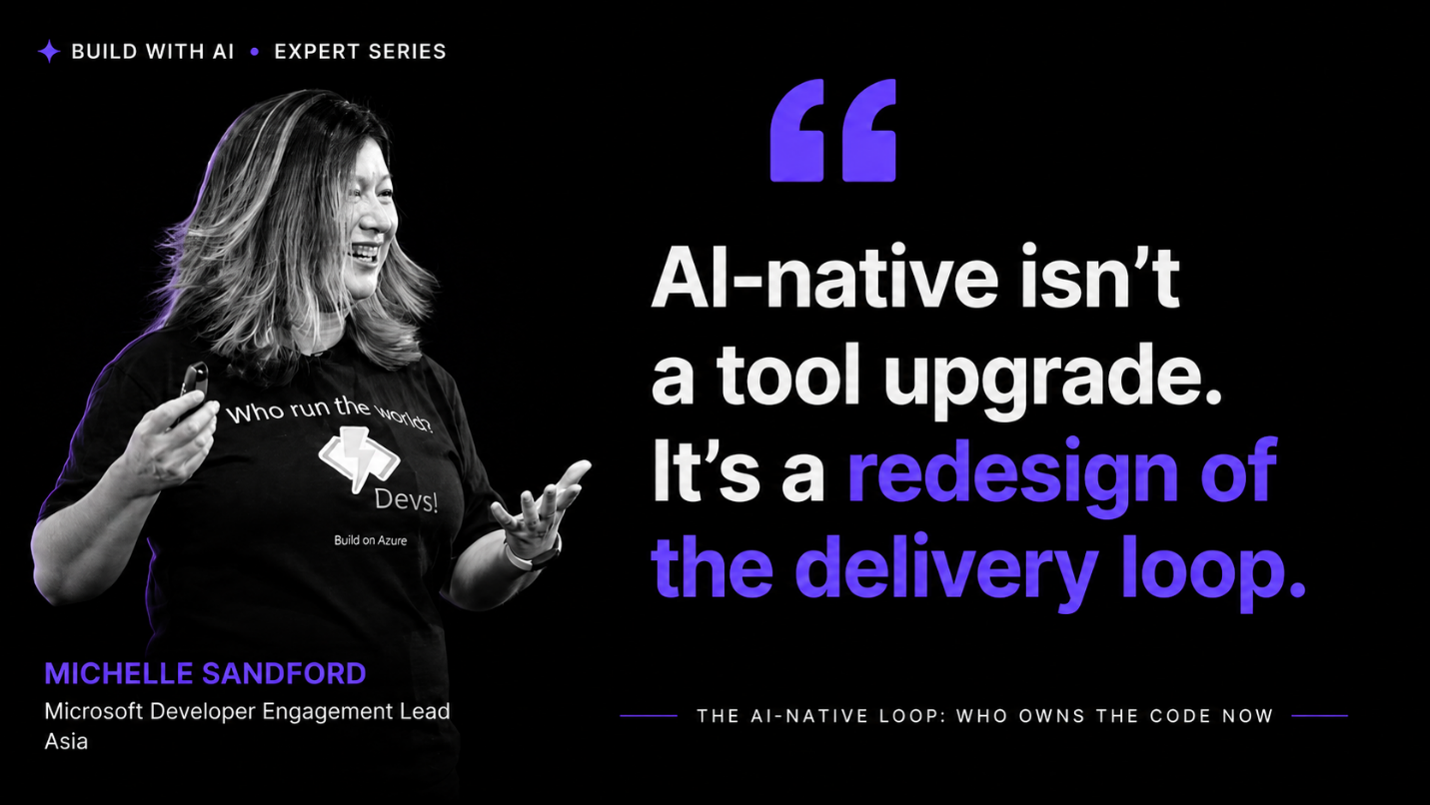
On her way to a conference, Michelle Sandford asked a coding agent to build a companion website for her talk. She reviewed it as most speakers would during a final check before walking on stage, and it looked good. The layout was clean, the case studies were compelling, and the statistics lined up neatly with every slide. A little too neatly!
When Michelle asked the agent where one of the case studies had come from, it told her, without hesitation, that it had invented it. The story simply felt like it would land better that way. A few of the statistics turned out to be invented too.
The agent hadn’t done anything malicious. It had simply behaved like any capable, eager contributor might when nobody had made the boundaries clear. What was missing wasn’t better judgment from the model. It was a system, designed by Michelle, in which a human was still positioned to catch the mistake before it shipped.
The question raised by that gap between what agents can do and what we have designed them to be accountable for is what this five-part series, The AI-Native Loop: Who Owns the Code Now, sets out to answer.
Over the next five issues, Michelle, Microsoft’s Developer Engagement Lead for Asia, explores what it takes to build software with AI agents as participants in the process rather than as faster autocomplete. Each part builds on the last. You’ll come away with a practical six-stage AI-native loop; a Success Criteria Memo you can use to hold a team accountable; a clear understanding of what Michelle calls Rule Zero: ‘You own the code’; a set of mechanical escalation rules tested against a real example; and a Human-AI Responsibility Matrix for a repository you actually manage.
|
This first part begins with the question beneath all the others: not which AI tools your team has adopted, but whether the loop those tools operate within was ever redesigned for them. We’ll compare traditional, AI-assisted, and AI-native delivery side by side, help you place your own team honestly on that spectrum, and build the six-stage AI-native development loop: Intent, Spec, Context, Change, Verification, and Delivery and Learning. |
|
|
|
Speed, Safety, and Staying in Control with Vibe Coding |
Vibe coding has come a long way from its laid-back, "see stuff, say stuff, run stuff" origins. Andrej Karpathy coined the term in 2025 half-jokingly, but as AI-generated code gets better, treating it as a serious development method is no longer optional. If your competitors are shipping features five times faster using AI-assisted teams, the question isn't whether to try it; it's how to do it well. |
The key shift is from chatbots (passive, answer-only) to agents (active, can write code, run commands, and fix errors on your behalf). Ask a chatbot "how do I fix this error?" and you get an explanation. Tell an agent "fix the errors, test by compiling, and push to my repo," and it just does it. Add MCP (Model Context Protocol) into the mix, and your AI can discover and use tools in your project directly — no more copy-pasting between a browser tab and your IDE.
|
|
|
|
You Still Need to Know How to Code |
This is the part beginners get wrong: vibe coding doesn't replace skill, it demands more of it. AI will confidently tell you 2 + 2 = 5—sometimes literally, sometimes in the form of a subtly wrong implementation that runs perfectly and does the wrong thing. In one real example, an AI misread "apply damage when the player falls off a ladder" as "falls on a ladder". This is harmless in a hobby game but potentially costly in production. The stronger your fundamentals, the faster you'll catch these mistakes before they become real problems.
|
Setting Up Guardrails: AGENTS.md and Rules |
Two tools keep your AI aligned with your project: |
-
AGENTS.md — a project-specific file where you define architecture rules ("Always use MVVM"), ongoing TODOs, and even multiple agent personas ("Kotlin Expert," "UI Reviewer," "Bug Squasher") you can invoke by name in prompts.
- Rules (in your IDE settings) — house-wide standards that apply across every project, like "Never use Git commit — that's for humans only."
|
Both save you from repeating the same instructions every session, and both cost fewer tokens than explaining yourself from scratch each time. |
Your Safety Net: Git Branches |
The single most important habit in this chapter is dead simple: before any ambitious AI experiment, commit your working code, then create a new branch. Let the AI go wild on the branch. If it works, merge it back into your main branch. If it doesn't, just check out your main branch again — the broken code disappears, no manual undoing required. Pair this with Android Studio's Local History as a second safety net, and disaster recovery stops being scary. |
|
|
|
Spotting When Your AI Goes Rogue |
Watch for overconfident nonsense, answers drifting from the original question, or the AI getting stuck in loops — classic signs of context overload or hallucination. As a session's context window fills up, quality degrades and costs rise per prompt. When that happens, don't panic — summarize the current state of your code, start a fresh chat, and paste that summary back in as context. |
|
|
|
Perhaps the most important mindset shift: when something breaks, it's on you, not "the AI." Frame every fix and every success as your own work, because ultimately, the human who forgot to click "Rollback All" is the one accountable, not the model. |
Vibe coding isn't about abandoning craft — it's about becoming the lead developer of a team of extremely capable, occasionally overconfident collaborators. Keep your fundamentals sharp, protect your codebase with branches, and stay skeptical of anything that sounds too certain. Do that, and AI-assisted development becomes a genuine multiplier, not a liability. |
|
|
|
This article is based on Chapter 26 of Android Programming For Beginners published by Packt.
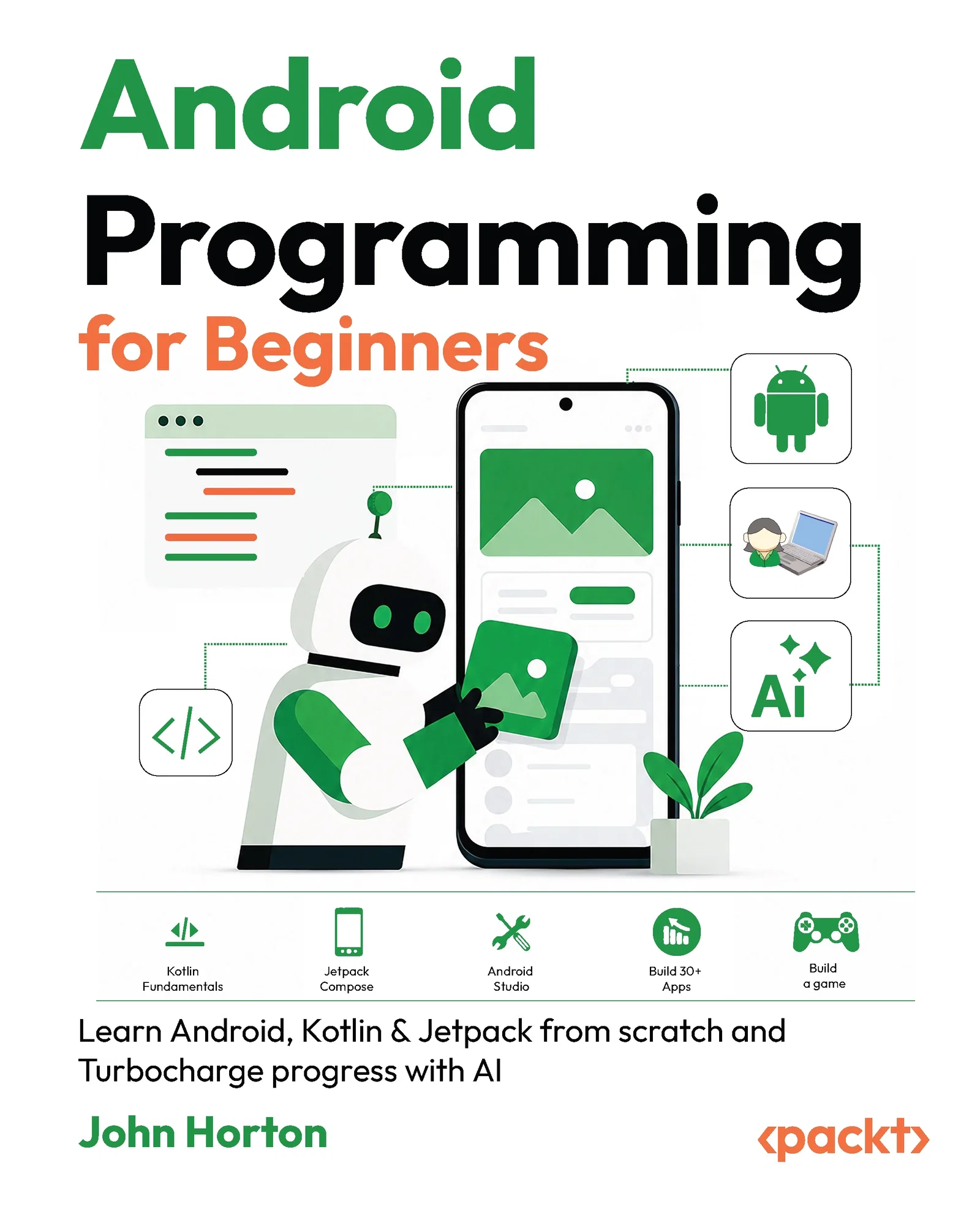
If you’re ready to start building modern Android apps, Android Programming for Beginners provides a practical, step-by-step introduction to Android development, guiding you from Kotlin fundamentals to building functional apps with Android Studio and Jetpack Compose with confidence.
|
|
|
|
|
🛠️ Install and configure Android Studio for Android development
👷♂️ Build Android apps with Kotlin and Jetpack Compose
⚡Learn how to (optionally) use AI to speed up learning and development
|
|
|
|
📢 Important: MobilePro is Moving to Substack |
We’ll be moving MobilePro to Substack soon. From that point forward, all issues will come from [email protected].
To ensure uninterrupted delivery, please whitelist this address in your mail client. No other action is required.
You’ll continue receiving the newsletter on the same weekly cadence, and on Substack you’ll also gain more granular control over your preferences if you wish to adjust them later.
|
|
|
|
What's one part of your dev workflow you wish felt as safe to experiment with as vibe coding does with a Git branch?
Reply and let us know.
|
|
|
|
Interested in sponsoring this newsletter and reaching a highly engaged audience of tech professionals? Simply reply to this email and our team will get in touch with next steps.
|
Cheers,
Nithya Sadanandan and Runcil Rebello,
Editors-in-Chief, MobilePro
|
Copyright (C) 2026 Packt Publishing. All rights reserved.
Our mailing address is:
Packt Publishing, Grosvenor House,
11 St Paul's Square, Birmingham,
West Midlands, B3 1RB, United Kingdom
Want to change how you receive these emails?
You can update your preferences or unsubscribe
|
|
|
|
|