US · pcmag.com

The Shocking Windows 11 Upgrade Every PC User Needs

Plus, Windows Is Finally Extending Privacy Controls to Desktop Apps, Prefer Full-Screen Apps? You'll Love This New Option --


This email was sent

Is this your brand on Milled? Claim it.

Plus, Windows Is Finally Extending Privacy Controls to Desktop Apps, Prefer Full-Screen Apps? You'll Love This New Option --
 ͏  ͏  ͏  ͏  ͏  ͏  ͏  ͏  ͏  ͏  ͏  ͏  ͏  ͏  ͏  ͏  ͏  ͏  ͏  ͏  ͏  ͏  ͏  ͏  ͏  ͏  ͏  ͏  ͏  ͏  ͏  ͏  ͏  ͏  ͏  ͏  ͏  ͏  ͏  ͏  ͏  ͏  ͏  ͏  ͏  ͏  ͏  ͏  ͏  ͏  ͏  ͏  ͏  ͏  ͏  ͏  ͏  ͏  ͏  ͏  ͏  ͏  ͏  ͏  ͏  ͏  ͏  ͏  ͏  ͏  ͏  ͏  ͏  ͏  ͏  ͏  ͏  ͏  ͏  ͏  ͏  ͏  ͏  ͏  ͏  ͏  ͏  ͏  ͏  ͏  ͏  ͏  ͏  ͏  ͏  ͏  ͏  ͏  ͏  ͏  ͏  ͏  ͏  ͏  ͏  ͏  ͏  ͏  ͏  ͏  ͏  ͏  ͏  ͏  ͏  ͏  ͏  ͏  ͏  ͏  ͏  ͏  ͏  ͏  ͏  ͏  ͏  ͏  ͏  ͏  ͏  ͏  ͏  ͏  ͏  ͏  ͏  ͏ ­ ­ ­ ­ ­ ­ ­ ­ ­ ­ ­ ­ ­ ­ ­ ­ ­ ­ ­ ­ ­ ­ ­ ­ ­ ­ ­ ­ ­ ­ ­ ­ ­ ­ ­ ­ ­ ­ ­ ­ ­ ­ ­ ­ ­ ­ ­ ­ ­ ­ ­ ­ ­ ­ ­ ­ ­ ­ ­ ­ ­ ­ ­ ­ ­ ­ ­ ­ ­ ­ ­ ­ ­ ­ ­ ­ ­ ­ ­ ­ ­ ­ ­ ­ ­ ­ ­ ­ ­ ­ ­ ­ ­ ­ ­ ­ ­ ­ ­ ­ ­ ­ ­ ­ ­ ­ ­ ­ ­ ­ ­ ­ ­ ­ ­ ­ ­ ­ ­ ­ ­ ­ ­ ­ ­ ­ ­ ­ ­ ­ ­ ­ ­ ­ ­ ­ ­ ­  
Not displaying correctly? View this newsletter online.

PCMag Windows Guide

TODAY'S FEATURED STORY

Spy on Me No More: The Shocking Windows 11 Upgrade Every PC User Needs

Microsoft shifted its focus away from traditional desktop apps starting with Windows 8, and the company has since spent more than a decade releasing security and privacy features that apply only to modern Microsoft Store apps. But now, it's extending those settings to prevent regular apps from spying on your camera, location, and microphone without asking first. That's huge news because most people don't even bother with Microsoft Store apps.

Meanwhile, Windows 11 is getting an option that makes all windows launch in full-screen mode by default. It’s a big quality-of-life upgrade for people who prefer that experience. The File Explorer context menu upgrades Microsoft promised are also now available in Insider builds, complete with a more comprehensive settings panel than I expected. Both average PC users and power users should benefit from this upgrade.

Read on for all the details about upcoming privacy controls, a Windows 8-like app launch experience, and some welcome File Explorer enhancements, all of which should make their way to stable releases over the coming months.

- Chris Hoffman, Senior Editor

Read More

EXPERT ANSWERS TO YOUR SECURITY QUESTIONS

Q: What are some Windows features or settings that most people overlook but can make a noticeable difference in productivity?
- Alice

A: Hi Alice, thanks for writing in! Windows is absolutely packed with productivity-boosting tools. Many of them are well-known, but some have flown well under the radar.

Focus Sessions is my favorite hidden productivity tool. It’s a Pomodoro-style timer included in Windows 11’s Clock app. You can set a custom timer and get to work. With the Pomodoro Technique, you do focused work while the timer counts down and take a break when it’s up. Windows also turns off notifications while you’re in focus mode and integrates with Spotify so you can quickly activate your favorite productivity-boosting playlist when you start a session.

The vision feature in Microsoft’s Copilot AI is worth a mention, too. If you start a voice chat in Copilot, you can tap the Share Screen button and share either a single window or your entire desktop screen with Copilot, and then have a voice conversation about what you see in real time. It’s a feature that competing AI apps don’t have on Windows, and that’s worth highlighting.

Custom keyboard shortcuts are also useful. You can make custom shortcuts with Microsoft PowerToys, but Windows lets you assign keyboard shortcuts to launching your favorite apps. For example, you could make Windows open Chrome when you press Ctrl-Alt-C. First, locate an app’s shortcut on your desktop. Right-click it, select Properties, and look under the Shortcut tab. Click the Shortcut key field, type a shortcut, and then click OK. This trick has been around for decades, and it still works well today. Windows is full of features like it.
- Chris Hoffman, Senior Editor, Windows Guide

Have a Windows question? Submit your question to our Windows expert, Chris Hoffman for an opportunity to have your question answered in an upcoming newsletter issue.

NEW THIS WEEK

Windows Is Finally Extending Privacy Controls to Desktop Apps
Prefer Full-Screen Apps? You'll Love This New Option
Windows 11’s New Context Menu Controls Are Excellent

OTHER TECH NEWS YOU NEED TO KNOW

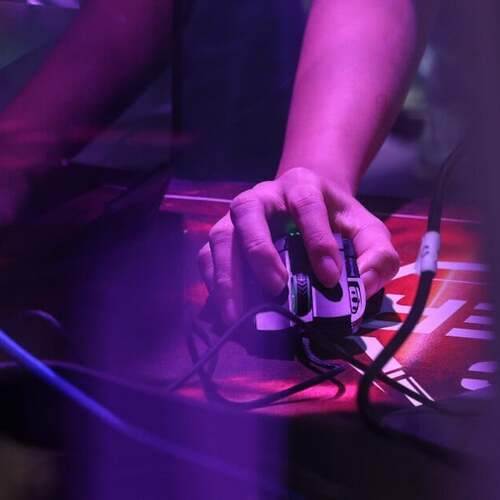
Windows 11 Gaming Issue Linked To RGB Devices of All Things

It's not the hardware, but the software drivers from the RGB devices that can create a compatibility issue with the inpoutx64.sys driver, Microsoft says.

Read More

MORE WINDOWS NEWS

You are subscribed to PCMag Windows 11 as:
-.

Unsubscribe ‌| ‌Privacy Policy ‌| ‌Terms of Service

PCMag
360 Park Ave South, 17th Fl.
New York, NY, 10010

Are you sure?

Lists help you organize the brands that you care about. Your lists are private to you.