Hey -,
It's here!
The moment we’ve all been waiting for... Remote text monitoring is now available in the Troomi Parent Portal! (Hold for applause.)
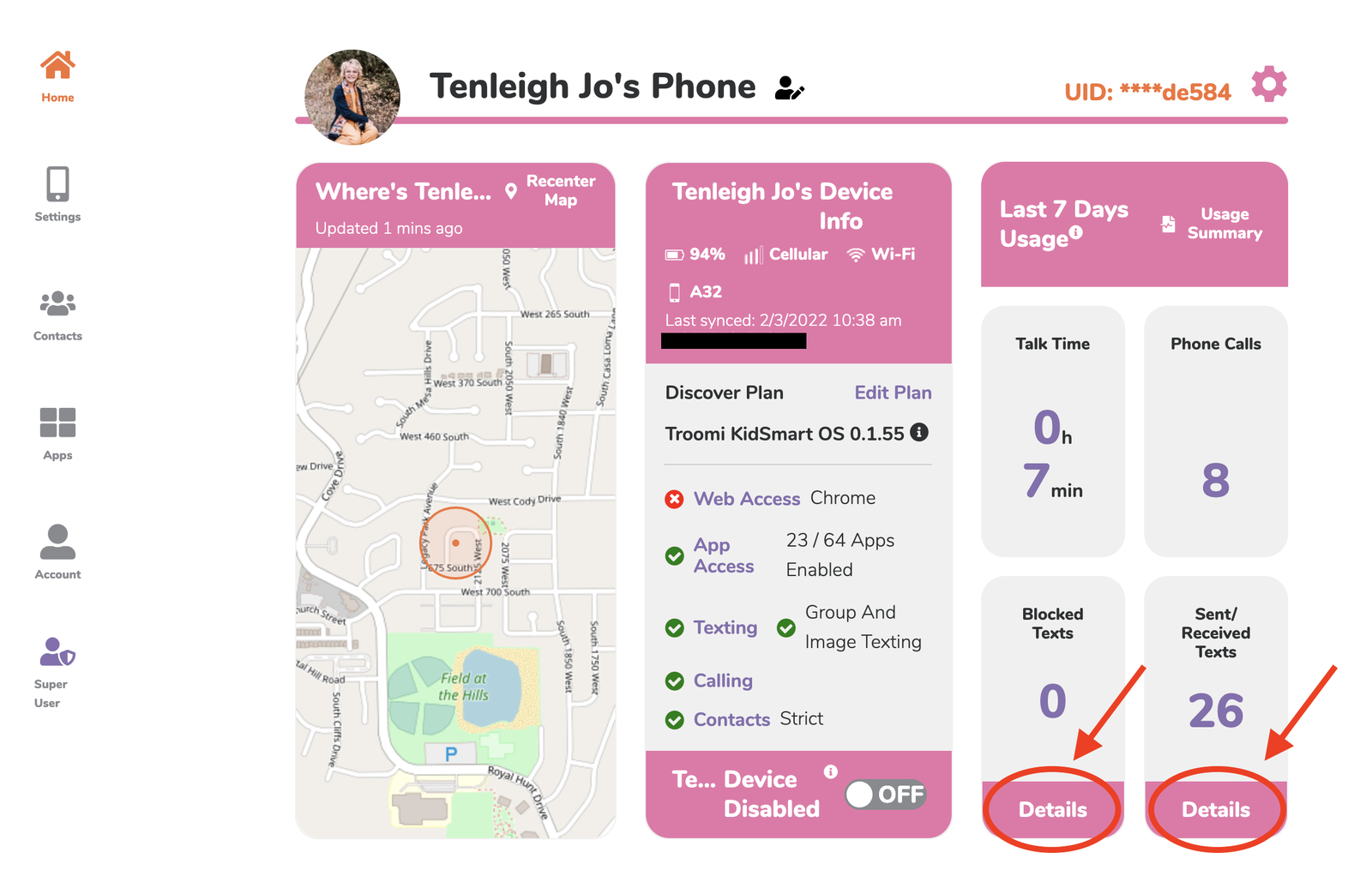
So how do you do it, exactly? It’s simple: On your Parent Portal home screen, you’ll see a button labeled Details under “Blocked Texts” and “Sent/Received Texts.” Click on either one and you’ll be able to see every text that falls under each category—and that even includes texts that may have been deleted on the phone! No more need to ask your child to see their device—just log in to your Parent Portal and voila!
Step 1: Click Details
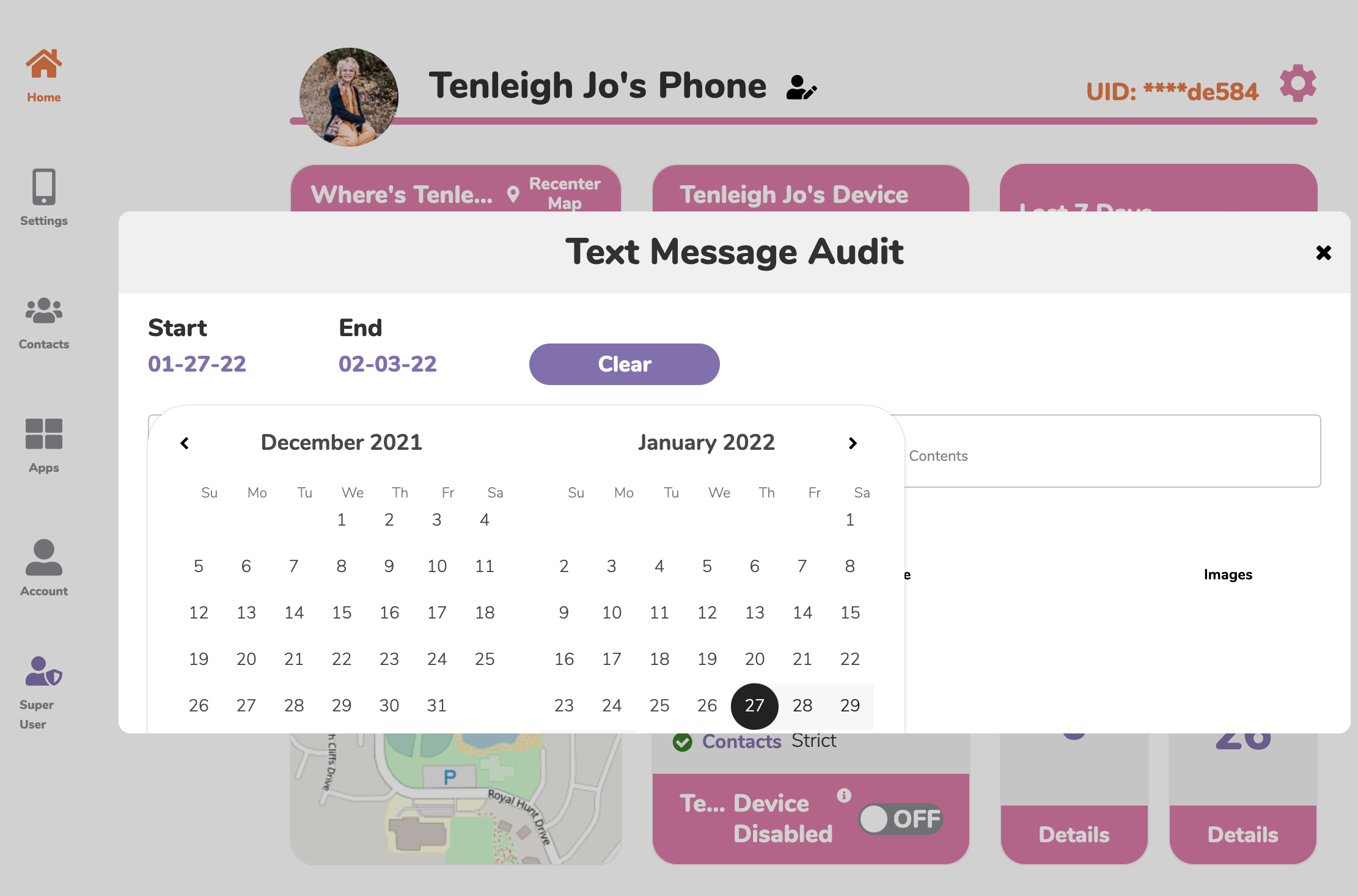
Step 2: Select a Date Range
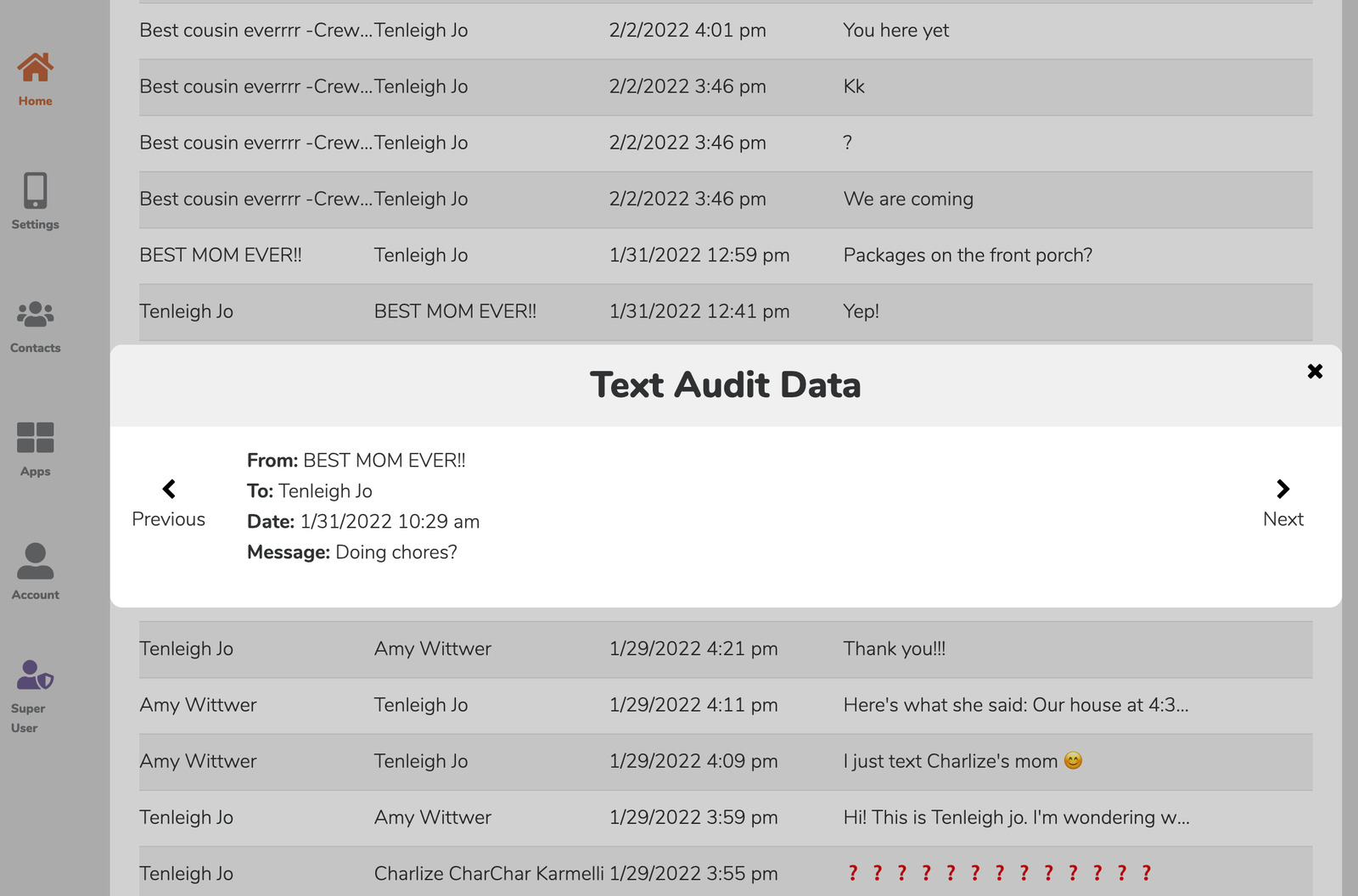
Step 3: Click on a message for more details
It’s all there, super easy and convenient in the Parent Portal. We’re jumping for joy to provide this feature and can’t wait for you to start using it. Questions? Let us know and we’ll help you out!
The Troomi Team
|